Use a date, not just “tomorrow”
A message can be read later. Include a specific day or date and confirm the time zone when needed.
BookingSolved • A small task, a clearer next step
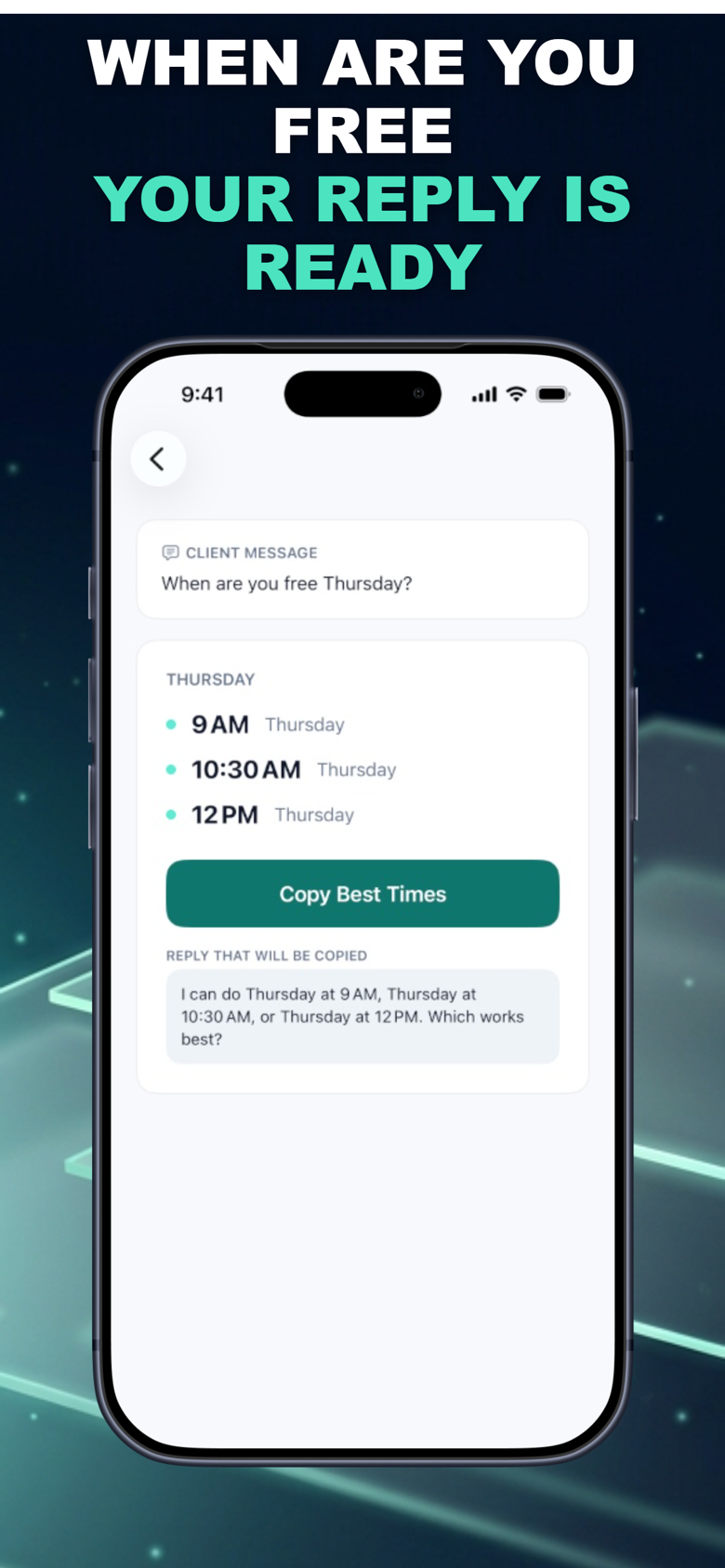
Write an appointment reply with a date, time zone and a few specific options. Then see how BookingSolved handles open-time suggestions from Apple Calendar.
Try it hereSee BookingSolved on the App StoreFree browser tool. Separate iPhone app with optional in-app purchases.
This browser tool formats times you supply. It does not read your calendar, check availability or reserve an appointment.
Entries are processed in this page and are not submitted by this tool. Hosting services may collect standard usage logs.
Make the result useful
A message can be read later. Include a specific day or date and confirm the time zone when needed.
Allow for service duration and buffer time before offering a slot. A gap alone may not be long enough.
Offering times is not the same as making a confirmed booking. Review the final appointment details.
BookingSolved’s official listing describes suggestions around existing appointments, business hours, service duration and buffers, plus ready-to-send replies. Review the details before approving calendar changes.
Explore BookingSolved on the App Store →Check Apple for current compatibility, regional availability and purchase details. This browser result does not transfer automatically to the app.